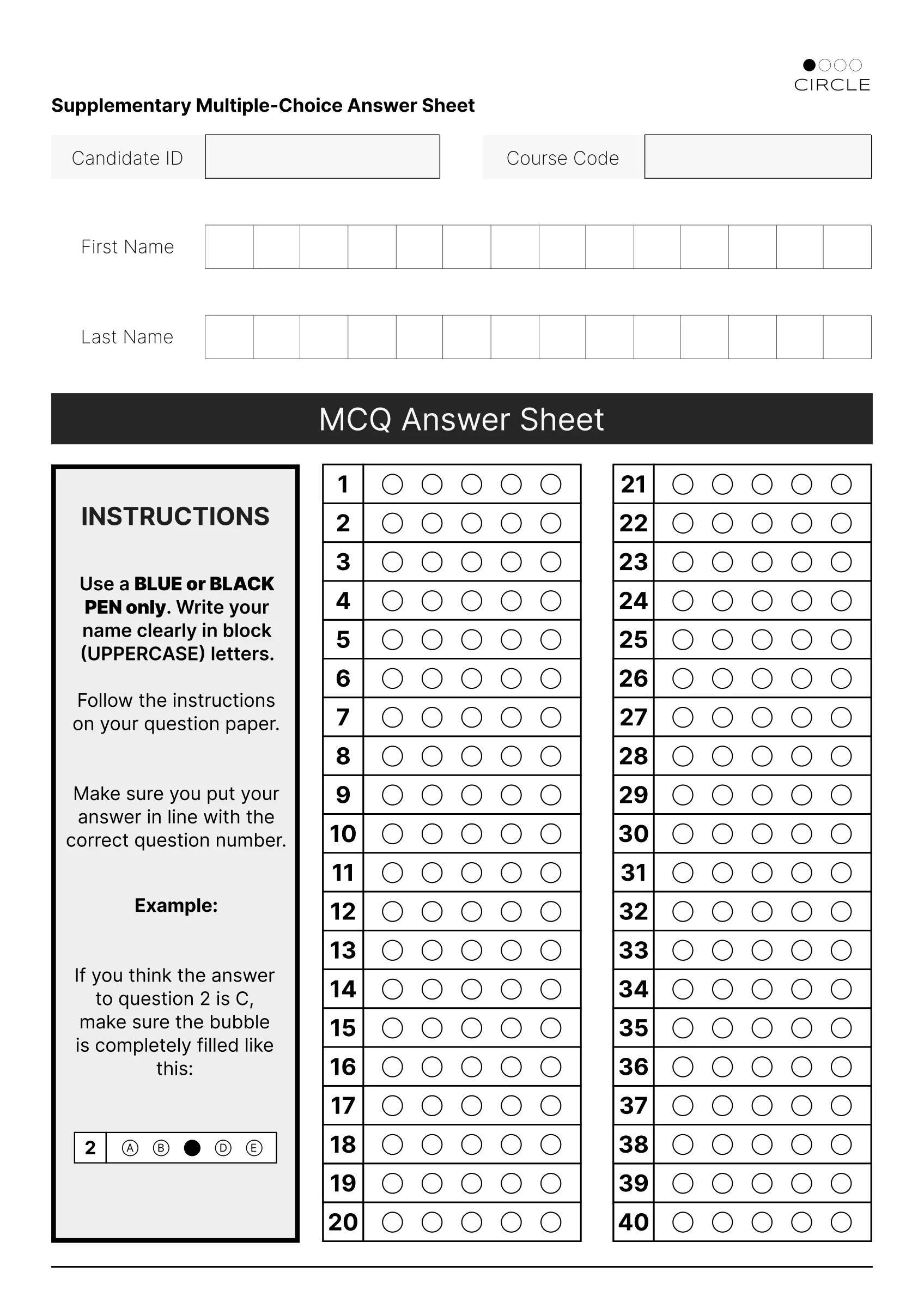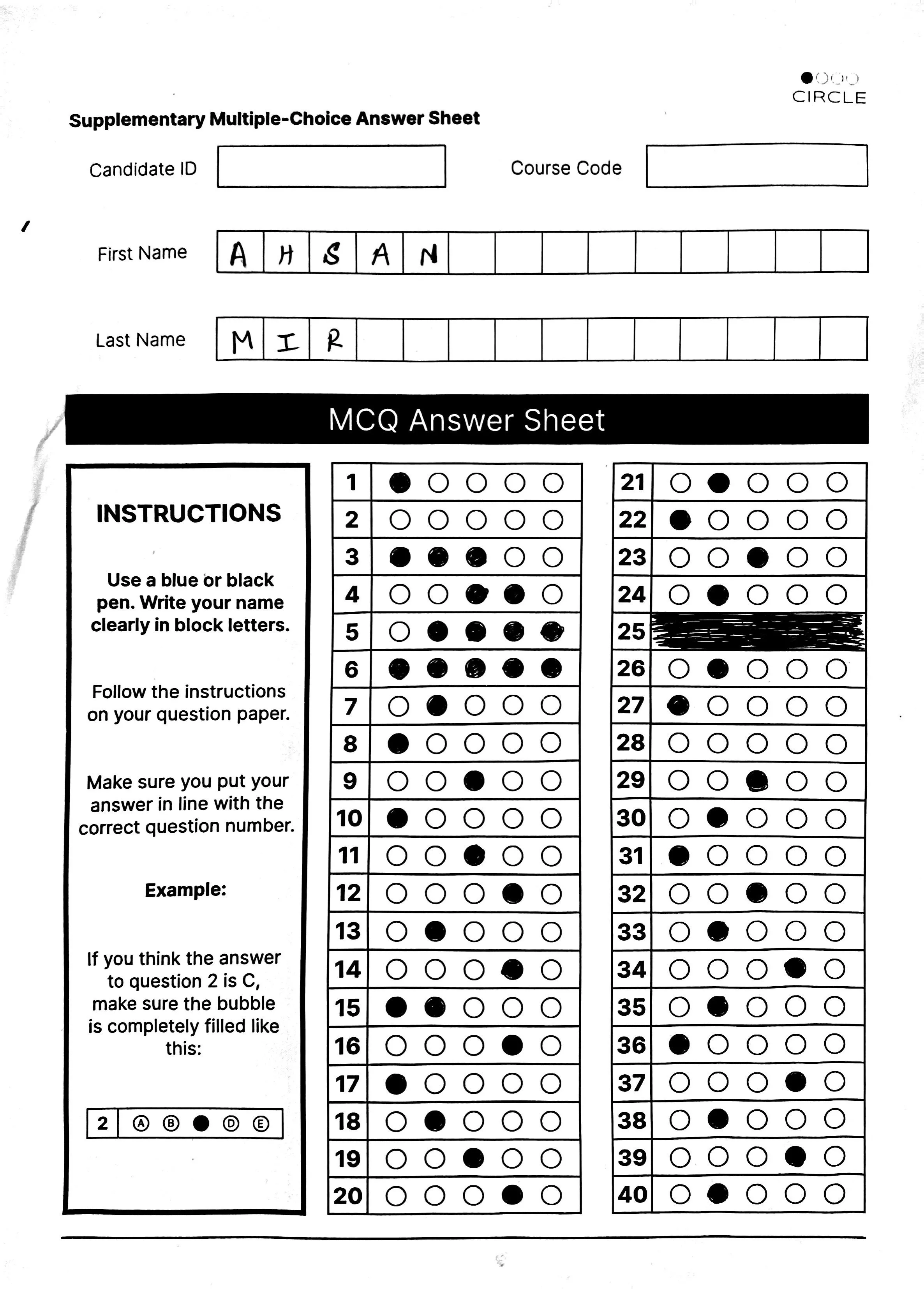
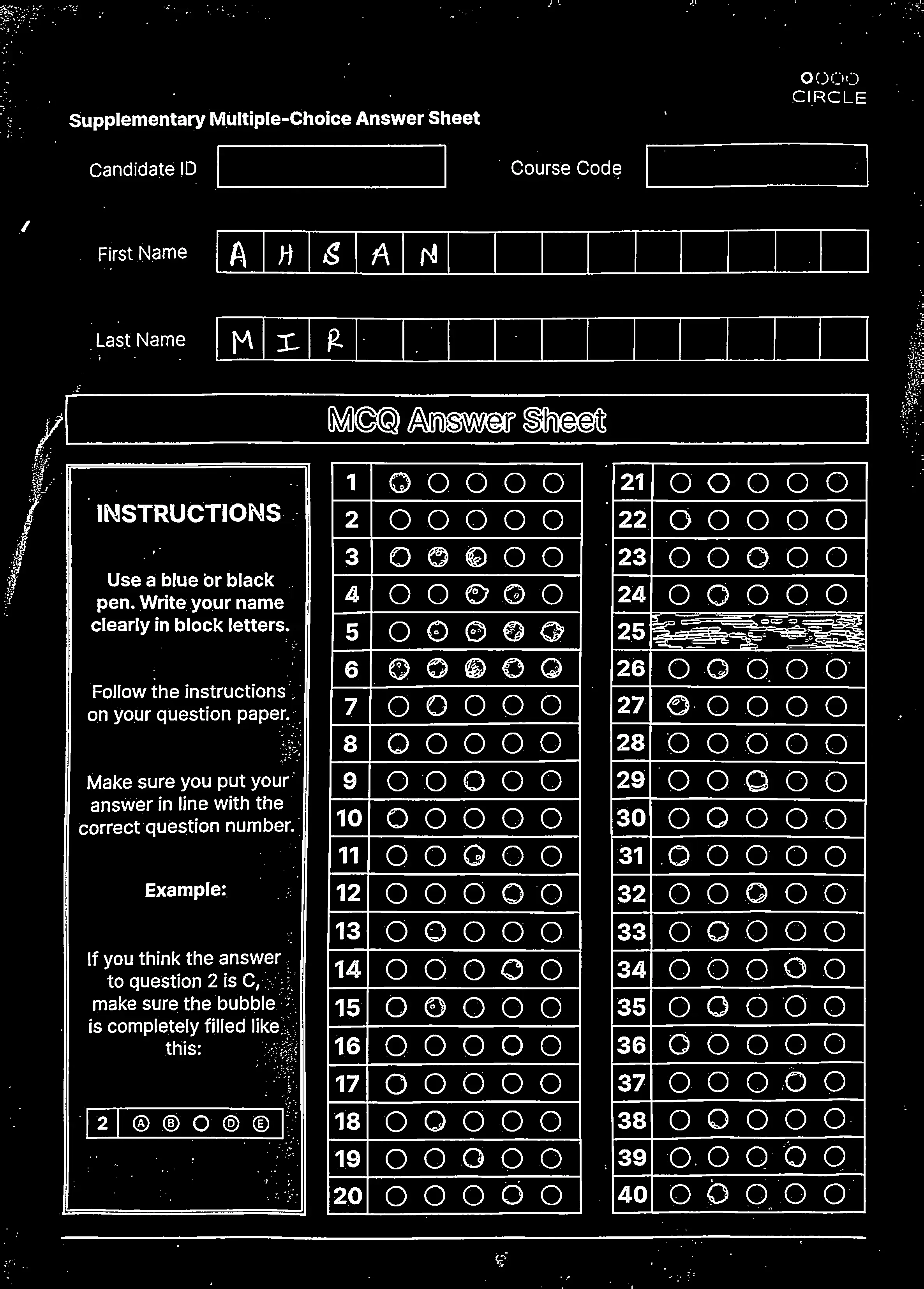
Bubble sheets, marked.
Circle reads the filled bubbles and the handwritten name on every sheet, checks them against your key and hands back the class in a spreadsheet.
Free. The scans never leave your computer.
Step 1: It sees ink, not paper.
Each pixel is judged against the 11 by 11 pixels around it, so a shadow across the page or a grey photocopy still separates cleanly into ink and paper.
Step 2: It finds the two answer grids.
Circle traces every outline on the page and keeps the three biggest. The leftmost is the instructions box, so it is set aside. The other two are straightened, even when the photo was taken at an angle.
Step 3: It measures all 200 bubbles.
Each bubble gets four tests: edge pixels, contrast, dark area and black area. The cut-offs come from this sheet alone, so a light pencil class and a heavy pen class are judged on their own terms. Two passes out of four means filled.
- Edge pixels
- < 631
- Contrast (variance)
- > 8,069
- Dark area
- > 19.0%
- Black pixels
- > 3,485
This sheet’s cut-offs. Row 3 has three bubbles that pass, so it is flagged, not guessed.
Step 4: It reads the name.
The first and last name rows are cut into 14 boxes. Each letter is cleaned up, scaled to 28 by 28 pixels and read by a small neural network. A letter it is less than 90% sure of is left out for you to check.
- A1.00
- H0.91
- S1.00
- A1.00
- N1.00
- M1.00
- I0.99
- R1.00
Step 5: Then it marks.
Green where the student was right. Red on a wrong pick, with the right answer in yellow beside it. Yellow alone where the row was left blank or had more than one bubble filled.
- Right 27
- Wrong, right answer in yellow 5
- Blank, or more than one filled 8
Now you set the key.
This is the same sheet and the same reading. Fill in a key and Circle marks it again on the spot.
Skip the 40 key rows- Question 1
- Question 2
- Question 3
- Question 4
- Question 5
- Question 6
- Question 7
- Question 8
- Question 9
- Question 10
- Question 11
- Question 12
- Question 13
- Question 14
- Question 15
- Question 16
- Question 17
- Question 18
- Question 19
- Question 20
- Question 21
- Question 22
- Question 23
- Question 24
- Question 25
- Question 26
- Question 27
- Question 28
- Question 29
- Question 30
- Question 31
- Question 32
- Question 33
- Question 34
- Question 35
- Question 36
- Question 37
- Question 38
- Question 39
- Question 40
That is the whole reader, running on one sheet. How Circle reads a sheet covers the details, or print the sheet and try it on your own class.
What you get back
Marked sheets
Every sheet comes back in green, red and yellow with the score in the corner. Download the whole class as one zip.
Names from handwriting
Names are read from the boxes students filled in, so the spreadsheet is labelled before you touch it. Fix any letter in one click.
read as Ahsan Mir
One spreadsheet
A row per student with the name, the score and every answer, plus the key. It opens in Excel, Numbers and Google Sheets.
· a blank row, or one with two or more bubbles filled, waiting for you
Question by question
How many got each question right, and which wrong option pulled the rest. A question most of the class missed is usually a question worth reading again.
12345678910111213141516171819202122232425262728293031323334353637383940One sheet here. With a class, each cell shows how many got it right.
The last word is yours
Rows with no answer or two answers are flagged. Look at the bubbles, set the answer yourself, and the score updates.
The scans stay on your computer.
Circle downloads its reader once, about 4 MB, and runs it inside this browser tab. Photos of your students’ sheets are never uploaded anywhere. Your account keeps the key, the names and the scores, so you can reopen a class next week.
Before you scan
- Print the Circle sheet at 100% on A4. Circle only reads this sheet.
- Students fill each bubble completely, with a blue or black pen.
- Names go in capitals, one letter per box. Circle reads A to Z.
- Scan or photograph each sheet flat, with both answer grids fully in the frame.
- Upload JPG, PNG or WebP files, or a zip of them.
- A test can have up to 40 questions, each with options A to E.
A filled bubble looks like this: